
Recorded course · Lifetime access
Microsoft Word - Beginner to Advanced with Copilot (Recorded)
▶
HD video lessons
☰
Structured chapters
★
Free free previews
🎓
Certificate on completion
Excel LogicsPractical computer training · Hyderabad, since 2016
 ▶ Watch a free lesson
<p><strong>Learn Microsoft Word properly, once, from start to finish.</strong></p>
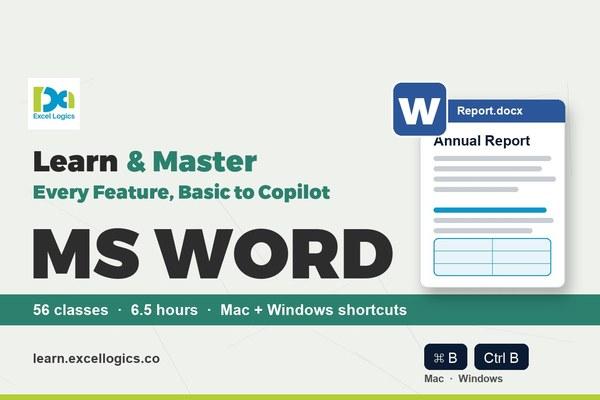
<p>This course has 56 short, focused classes in 5 modules. You start with the Word window and simple everyday documents, then build professional reports with styles, tables, a contents page and references. After that you automate and collaborate: mail merge letters and labels, Track Changes, protection, fillable forms, fields and macros. A full module shows how Microsoft Copilot drafts, rewrites and summarises documents, and the final module covers every remaining feature, ending with a keyboard shortcut master class.</p>
<p>Every class is shown step by step on screen with captions, zoom-ins on every click and chapter timestamps. Each shortcut pops up on screen for <strong>both Mac and Windows</strong>, so the course works whichever computer you use.</p>
<p>Every class ends with a shortcut card and three activities (<strong>Basic, Advanced and Challenge</strong>), plus a practice task and a 5-question quiz. Download the practice files and follow along.</p>
<h3>What you'll learn</h3>
<ul>
<li>Create, save, edit and format documents quickly, with clean fonts, paragraphs, lists and page layouts</li>
<li>Build tables, insert pictures, shapes, SmartArt and charts, and arrange them neatly</li>
<li>Use styles, the Navigation Pane, section breaks and an automatic table of contents for long reports</li>
<li>Add captions, cross-references, footnotes, citations, a bibliography and an index</li>
<li>Send personalised letters, envelopes and labels with Mail Merge, including If...Then...Else rules</li>
<li>Review documents with Track Changes, comments, Compare and Combine</li>
<li>Protect documents, build fillable forms and use fields, bookmarks, hyperlinks and macros</li>
<li>Use Copilot in Word to draft, rewrite, change tone, summarise and ask questions about a document</li>
<li>Use wildcards in Find and Replace, Quick Parts, equations, symbols and advanced page breaks</li>
<li>Share, co-author, use version history and customise the ribbon and Quick Access Toolbar</li>
<li>Work faster with 58 keyboard shortcuts for Mac and Windows</li>
</ul>
<h3>Who this course is for</h3>
<ul>
<li>Students and freshers who need Word for assignments, projects and job applications</li>
<li>Office staff, HR, admin and accounts teams who write letters, reports and forms every day</li>
<li>Anyone who uses Word but wants to stop formatting by hand and start working faster</li>
</ul>
<h3>Requirements</h3>
<ul>
<li>A laptop or PC with Microsoft Word (2016, 2019, 2021, 2024 or Microsoft 365), Mac or Windows</li>
<li>Copilot lessons need a Microsoft 365 plan that includes Copilot; the rest of the course works without it</li>
<li>No prior Word knowledge needed</li>
</ul>
Since 2016Training in Hyderabad
15,000+Learners trained
Mac + WindowsShortcuts in every class
LifetimeAccess on app & web
What you'll learn
Skills you'll use at work
Course curriculum
What's inside the course
Loading curriculum…
About this course
Course overview
Who this course is for
Requirements
About Excel Logics
Practical training since 2016
Excel Logics, Hyderabad
15,000+ learners trained since 2016
This Word course follows the same practical style as our classroom training: every feature is shown step by step on screen, every shortcut is shown for Mac and Windows, and every class ends with Basic, Advanced and Challenge activities you can try yourself.
Microsoft WordMail MergeCopilot in WordMac + Windows
FAQ
Frequently asked questions
Start learning today
Watch the free lessons first, then enroll when you're ready.
Start today
Ready to master Excel & VBA?
Watch the free lessons, then learn at your own pace with lifetime access.
Lifetime accessLearn at your own pace
App & webAndroid, iOS and browser
CertificateOn course completion
Secure paymentsInstant course access
Practical Excel, Advanced Excel and VBA training from Hyderabad since 2016. Recorded courses on the Excel Logics app and live online batches.
Since 201615,000+ learnersMicrosoft Certified Excel Expert
Follow us